How to share access to your
Wix domain
Follow the steps below to share access to your domain with the Modular Orange team.
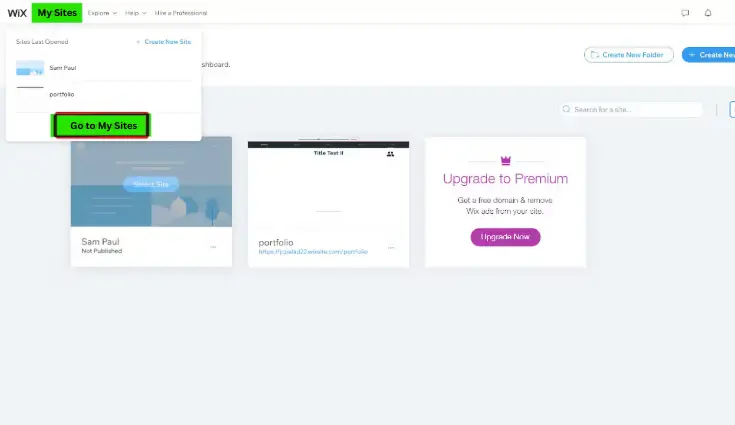
Log in to your account & click "Go to My Sites."
Log in to your Wix account. On the left, click on My Sites and click on Go to My Sites.
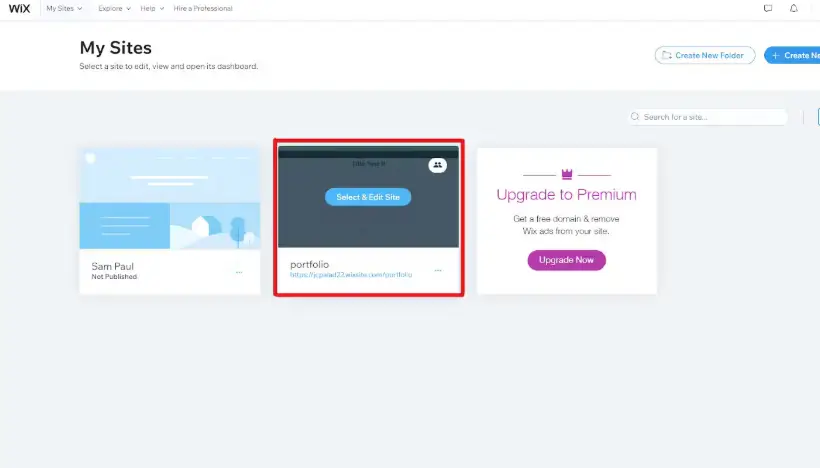
Select your domain.
Select the domain you want to delegate access to and click Select & Edit Site.
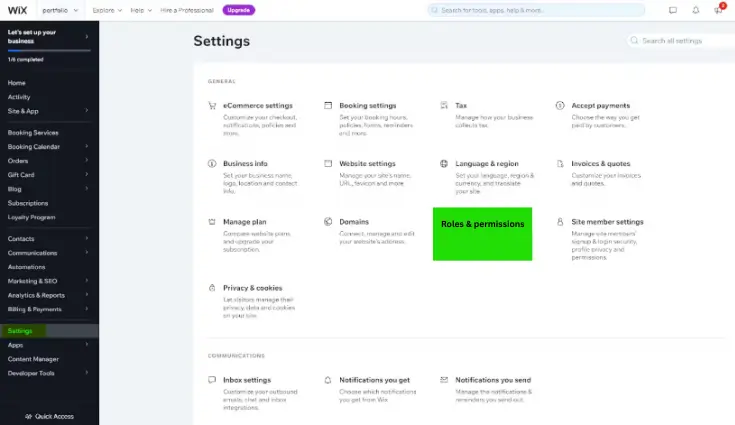
Click "Roles and Permissions" in your settings.
Choose Settings, then click Roles & Permissions.
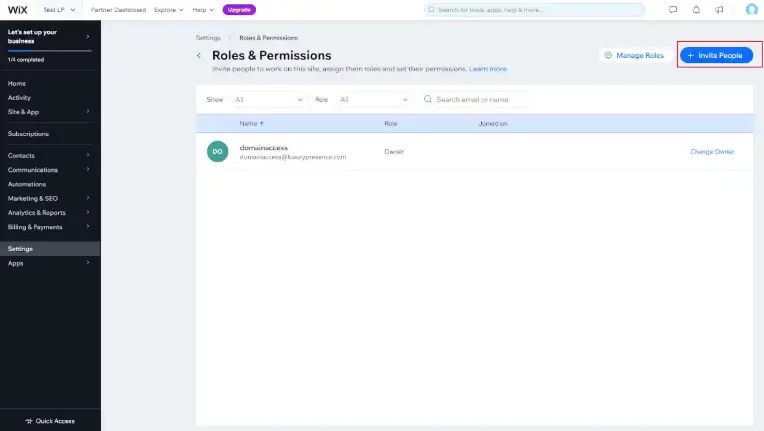
Click "Invite People."
Under the Roles & Permissions, click the Invite People button.
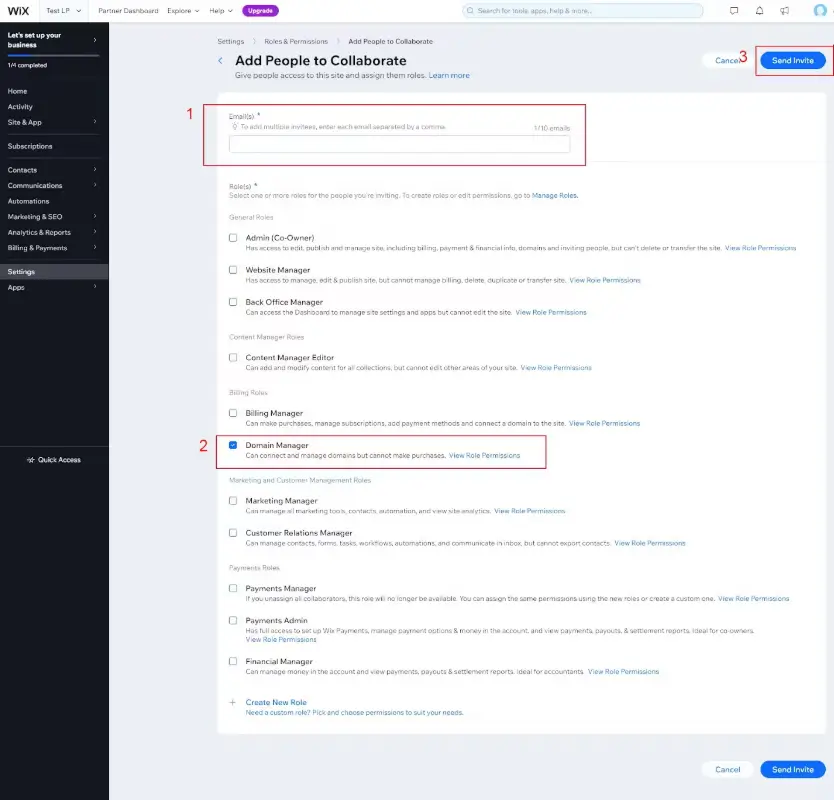
Enter our email and invite us to access your domain.
In the email field, enter hello@modularorange.com. Choose Domain Manager as the Role.
Click Send Invite, and you’re done!
By using this website, you agree to our use of cookies. We use cookies to provide you with a great experience and to help our website run effectively.